Set up Family Care in 10 minutes
Two people take part: the family member who signs up, and the parent whose phone it goes on. Pick the one that is you. Every step has a picture of what you will see.
Start here →
Start here →
A. I'm setting it up for my mom or dad
You will need their name and cell phone number. You can do this from your own computer or phone.
Sign up
Go to ergss.net/family/care. Fill in their name and cell phone, then your own name, phone and email, and pick a password.
Already have ERGSS Family? Sign in and tap Add Family Care next to their name instead.
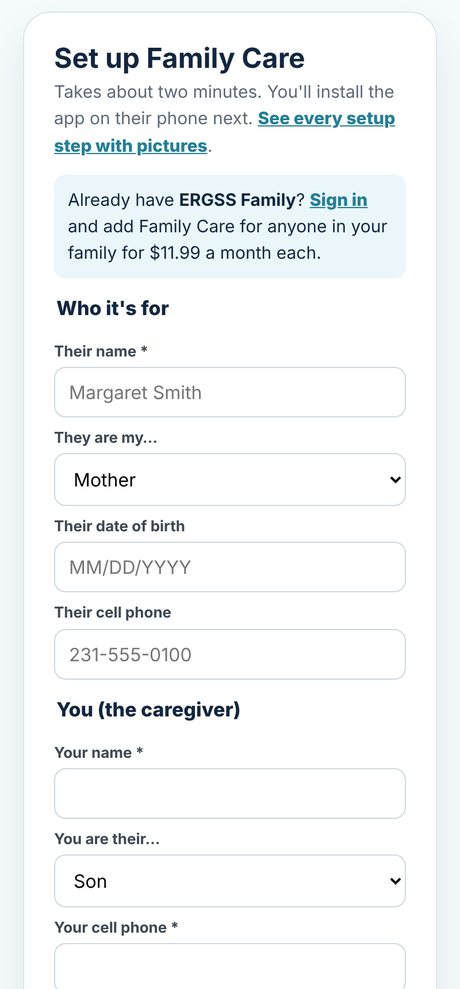
Fill in their medical ID
Allergies, conditions, medicines and their doctor. Paramedics see this when they scan the code on the lock screen. You can do it now or after the doctor's next visit.
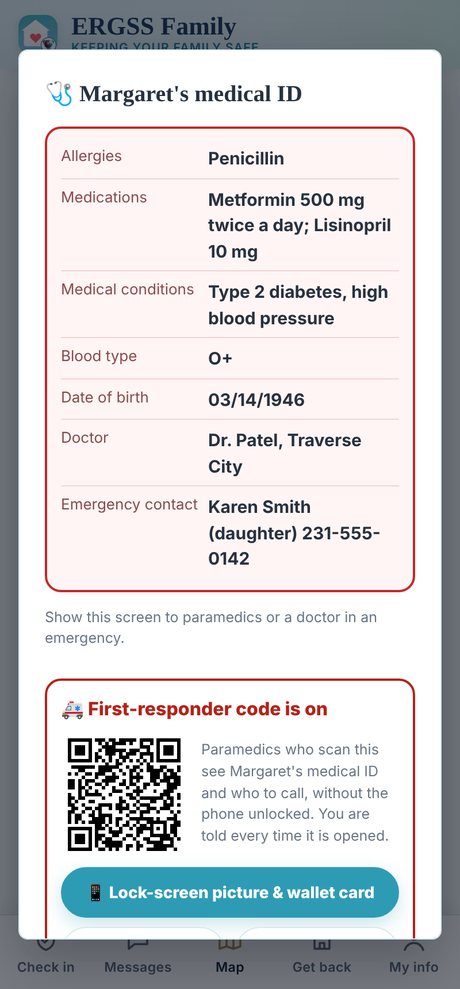
Send their invite
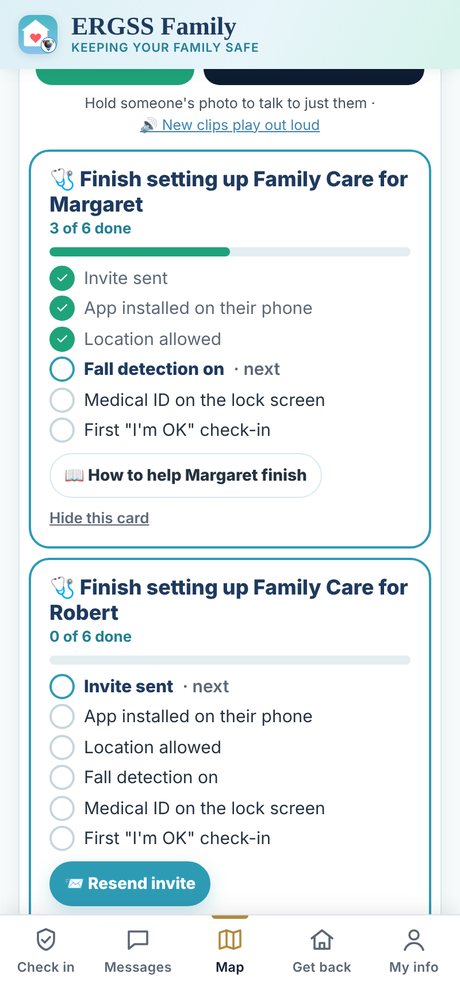
We text and email the invite as soon as you add them. If they didn't get it, open the family screen and tap 📨 Resend invite on their setup card.
The card shows each step they finish, so you can tell from your own phone how far they got.
Help them finish (or print part B for them)
Part B below walks them through their phone. It prints on two pages in large type, so you can leave it on the kitchen table: tap 🖨 Print part B for Mom or Dad.
Install ERGSS Family on your own phone too, so the alerts reach you. Your location is never shared.
B. My family sent me an invite
Have your phone in your hand. If you get stuck, call the number at the bottom. We are happy to help.
Install the ERGSS Family app
AndroidTap the link in your invite (or go to ergss.net/family/app), tap Download ERGSS Family, open the file and tap Install. If the phone asks, allow your browser to install apps: the app comes straight from ERGSS, not the Play Store.iPhoneThe iPhone app is coming. For now, open your invite link in Safari, tap Share, then Add to Home Screen.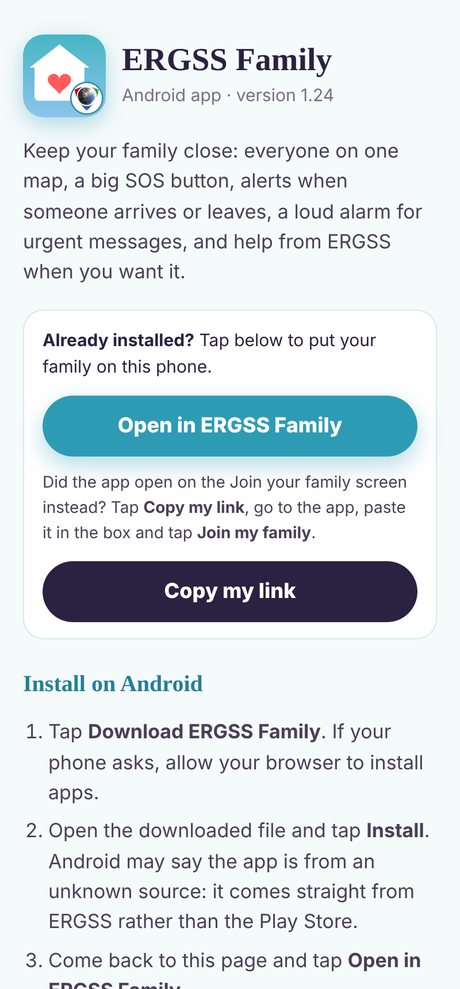
Open your invite
Find the text message or email from your family that says "added you to … on ERGSS Family". Tap the link in it. The app opens and you are in your family.
No invite? Ask your family to tap Resend invite, or have them show you the QR code on their phone and point your camera at it.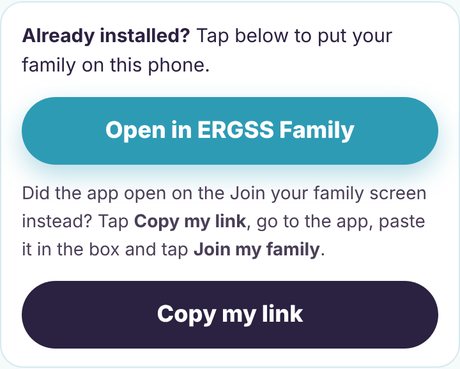
Allow location and notifications
The app asks two questions. Say yes to both. Your location is shared only during an SOS, a fall or a crash, never all day.
AndroidTap Allow all the time for location (it may open Settings: pick Allow all the time, then go back). Tap Allow for notifications and physical activity.iPhoneTap Allow While Using App, then later Change to Always Allow. Tap Allow for notifications and Motion & Fitness.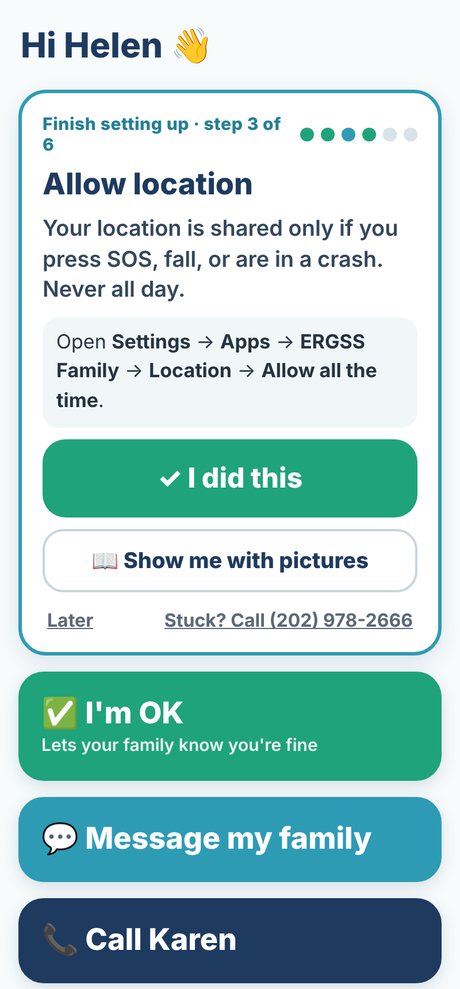
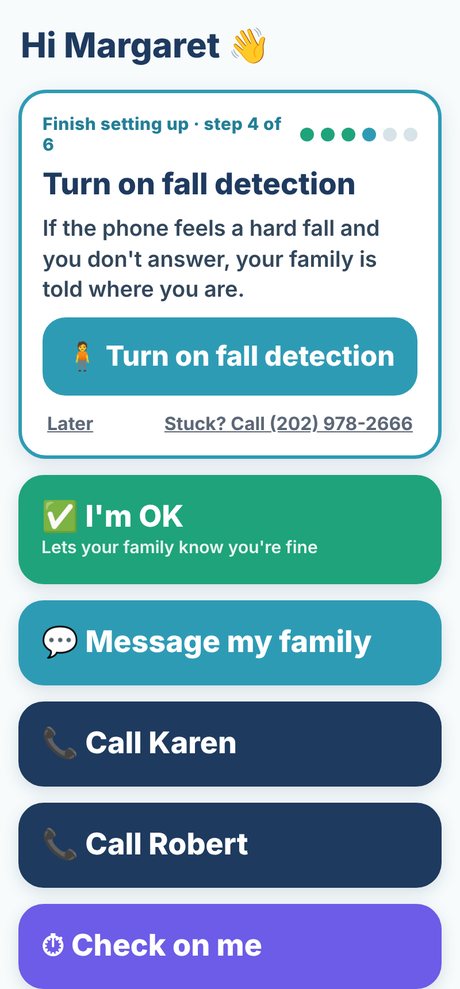
Turn on fall detection
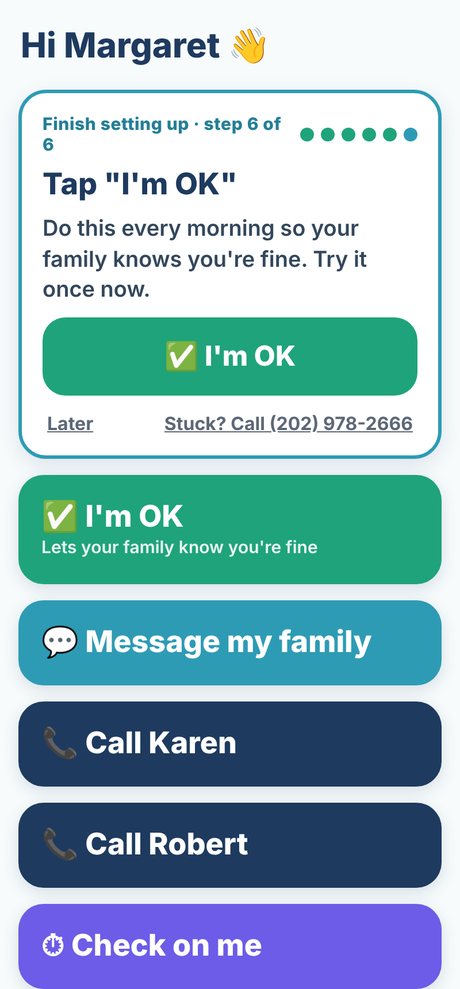
The app shows a short list of setup steps. Tap the big Turn on fall detection button. If the phone senses a hard fall and you don't answer, your family is told where you are.
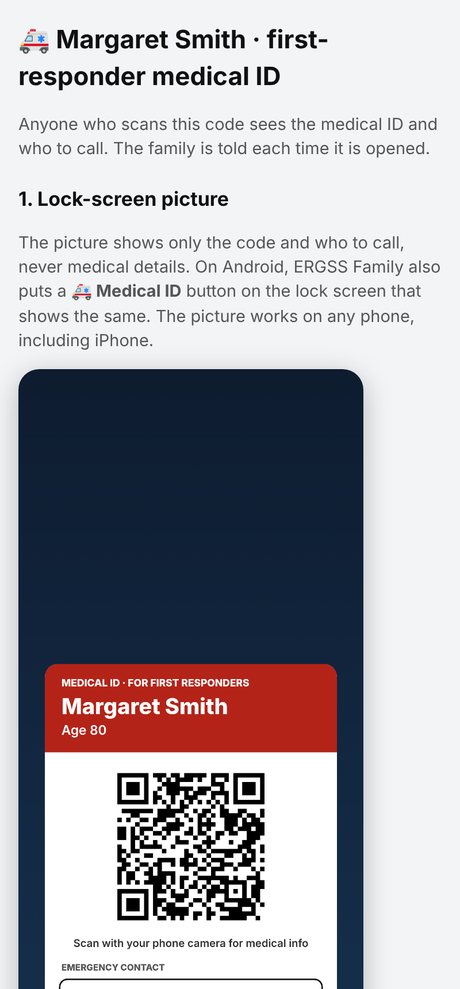
Put your medical ID on the lock screen
Tap Get my lock-screen picture. It has a code paramedics can scan to see your allergies and medicines, even when the phone is locked.
AndroidTap Save picture. Open Settings → Wallpaper → pick the picture → Lock screen.iPhoneTap Save picture. Open Photos, tap the picture, tap Share → Use as Wallpaper → Lock Screen.Then tap I've done this. Your family can also print the same code on a wallet card and a fridge sticker.
Try the SOS button
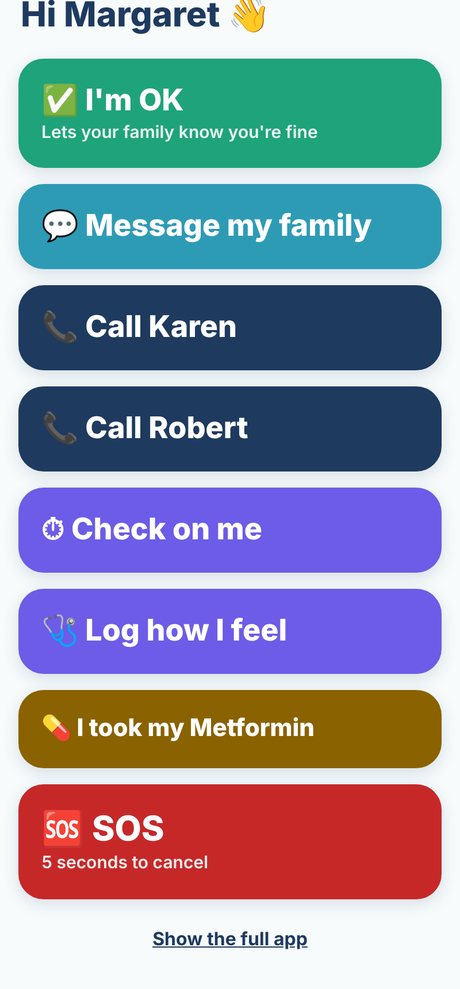
Tap the red SOS button, then tap Cancel within 5 seconds. Now you know where it is. In a real emergency, call 911 first if you can, then tap SOS.
Tap "I'm OK"
Every morning, tap the big green I'm OK button so your family knows you're fine. Do it once now to finish setup. If you forget, the phone reminds you, and your family is told only if you still haven't answered.
Stuck? Call or email us
A real person at ERGSS will walk you through it. Have your phone with you.
ERGSS Family Care is a safety and notification service. It does not provide medical advice, diagnosis or treatment, and it is not a substitute for calling 911.
ERGSS Family Care · ergss.net/family/care/setup · v2026.11